
Pin AI Blocker for Quick Access


You're All Set!
Your AI Blocker Chrome extension is now installed and ready to use.
Start browsing — the plugin will automatically check images for AI-generated content.
See AI Blocker in Action
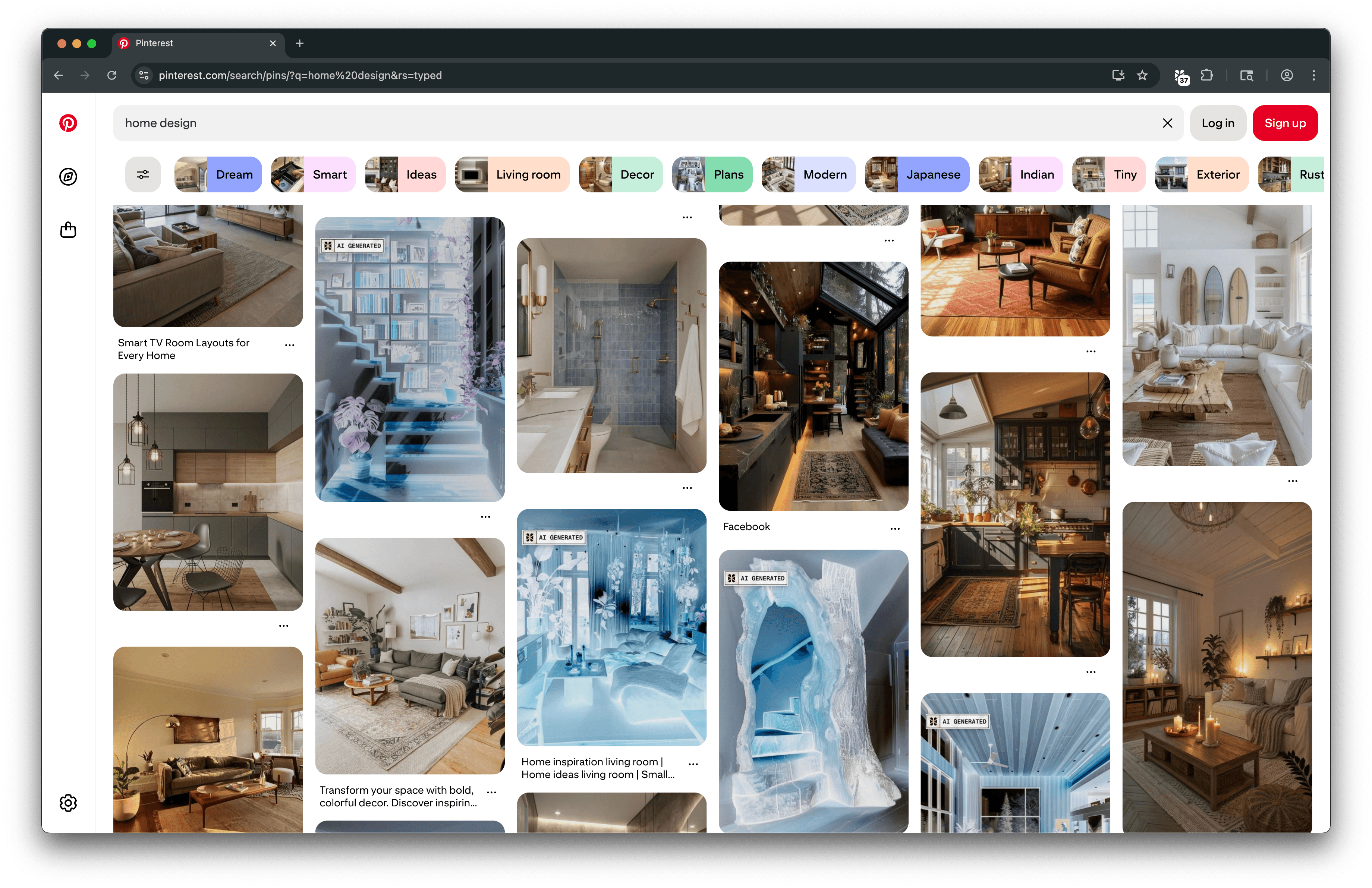
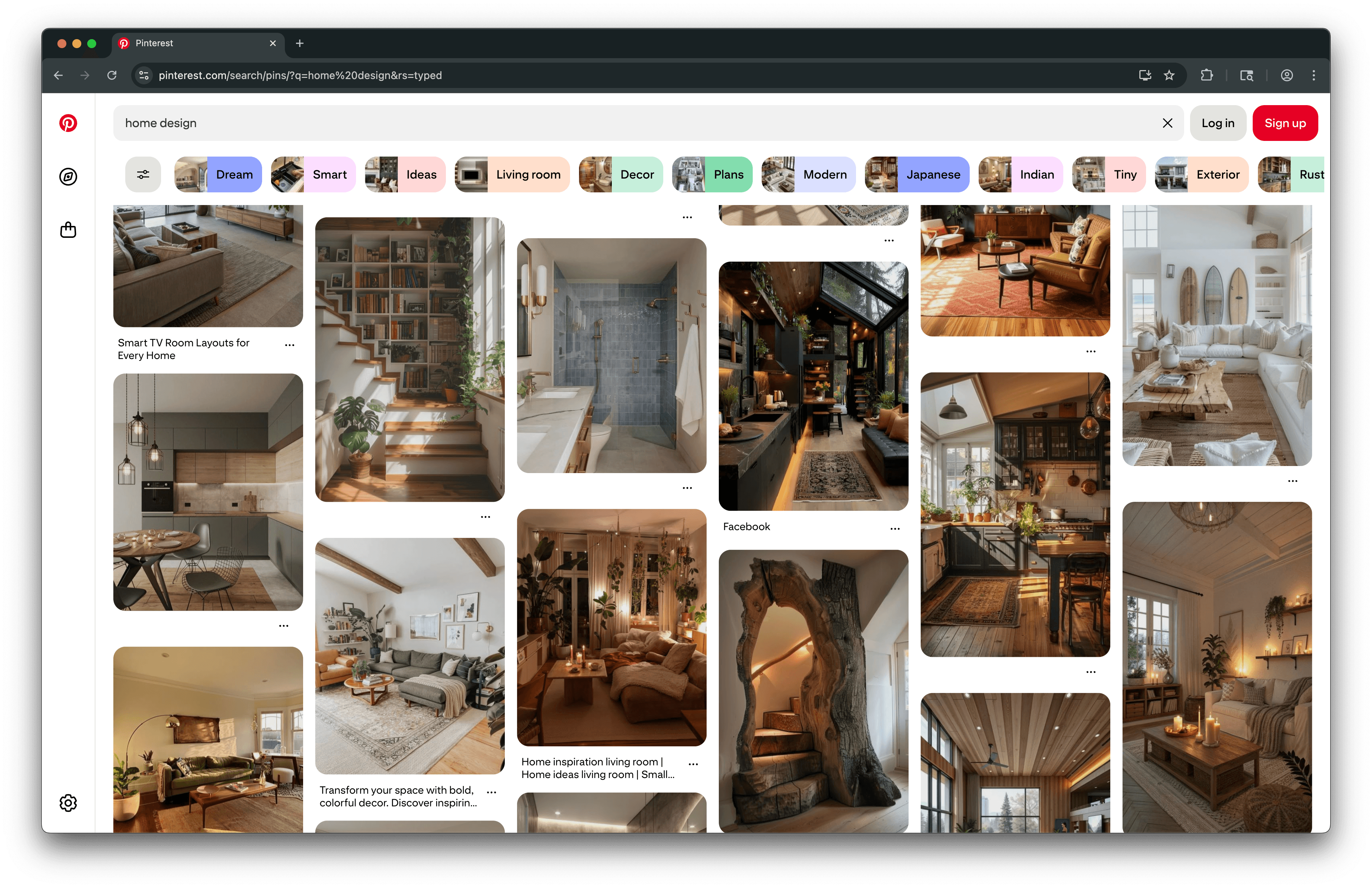
AI-generated images are automatically detected and blurred so you see the internet clearly, again.

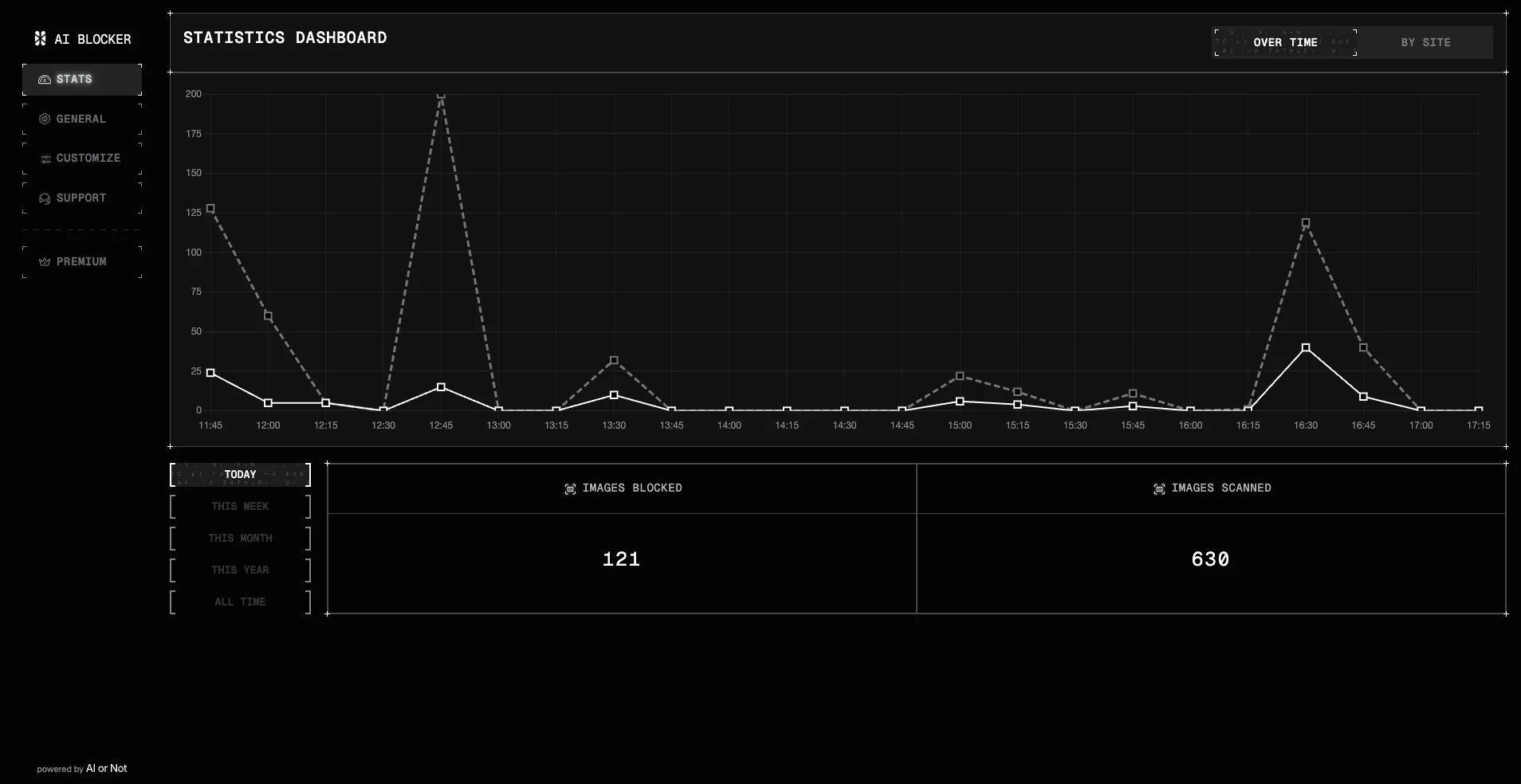
Track Your AI Detection Activity in Real Time
Your AI Blocker Stats page visualizes the extension’s activity as you browse. It compares how many images were scanned versus how many were blocked, helping you understand overall usage patterns. Toggle between time frames to track activity over days, weeks, or months.
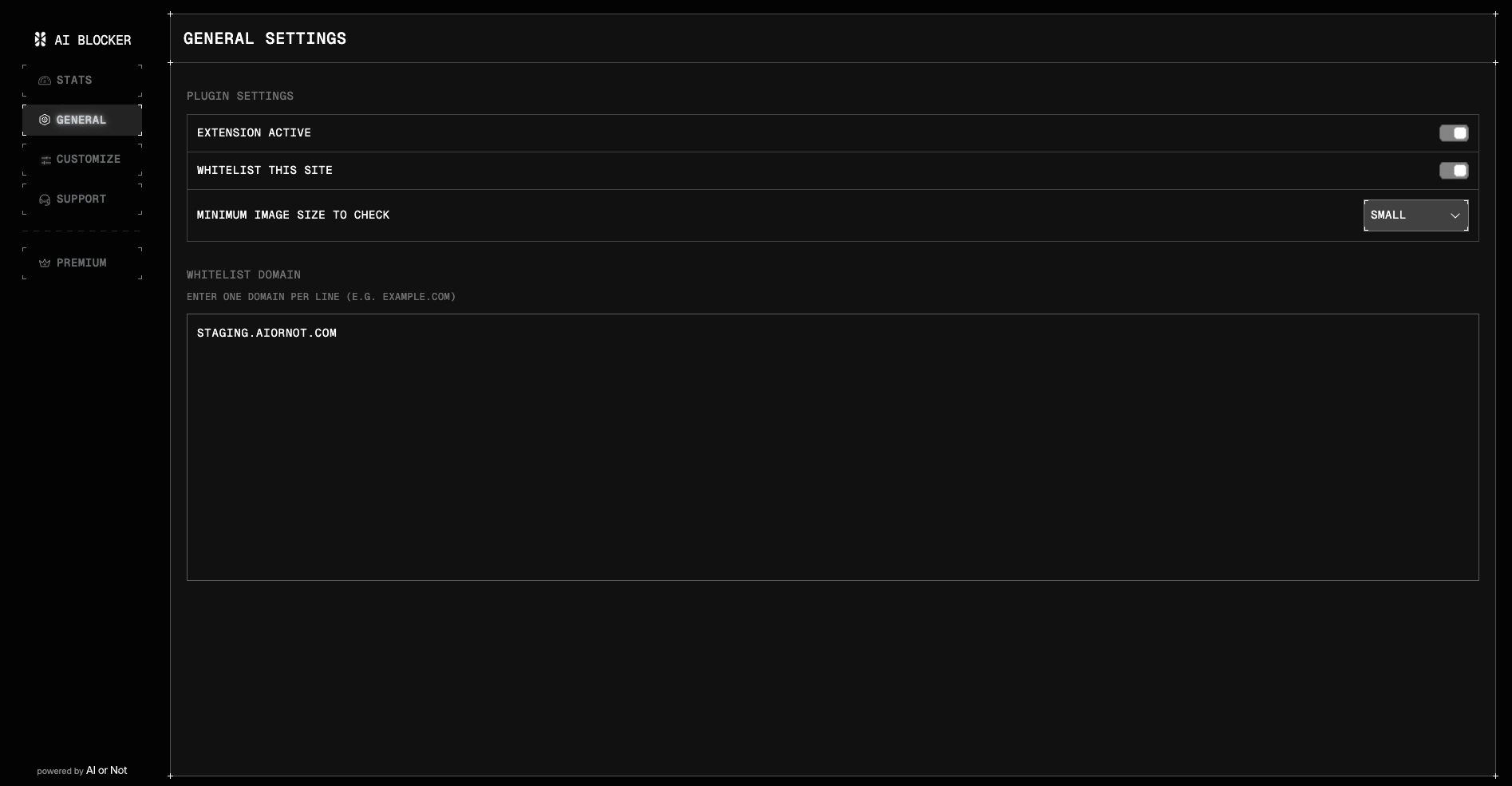
Extension Controls & Whitelist Settings
Customize how AI Blocker behaves in your browser. Toggle the extension on or off, whitelist specific websites, choose a minimum image size to scan, and manage domain-level settings—all in one place.
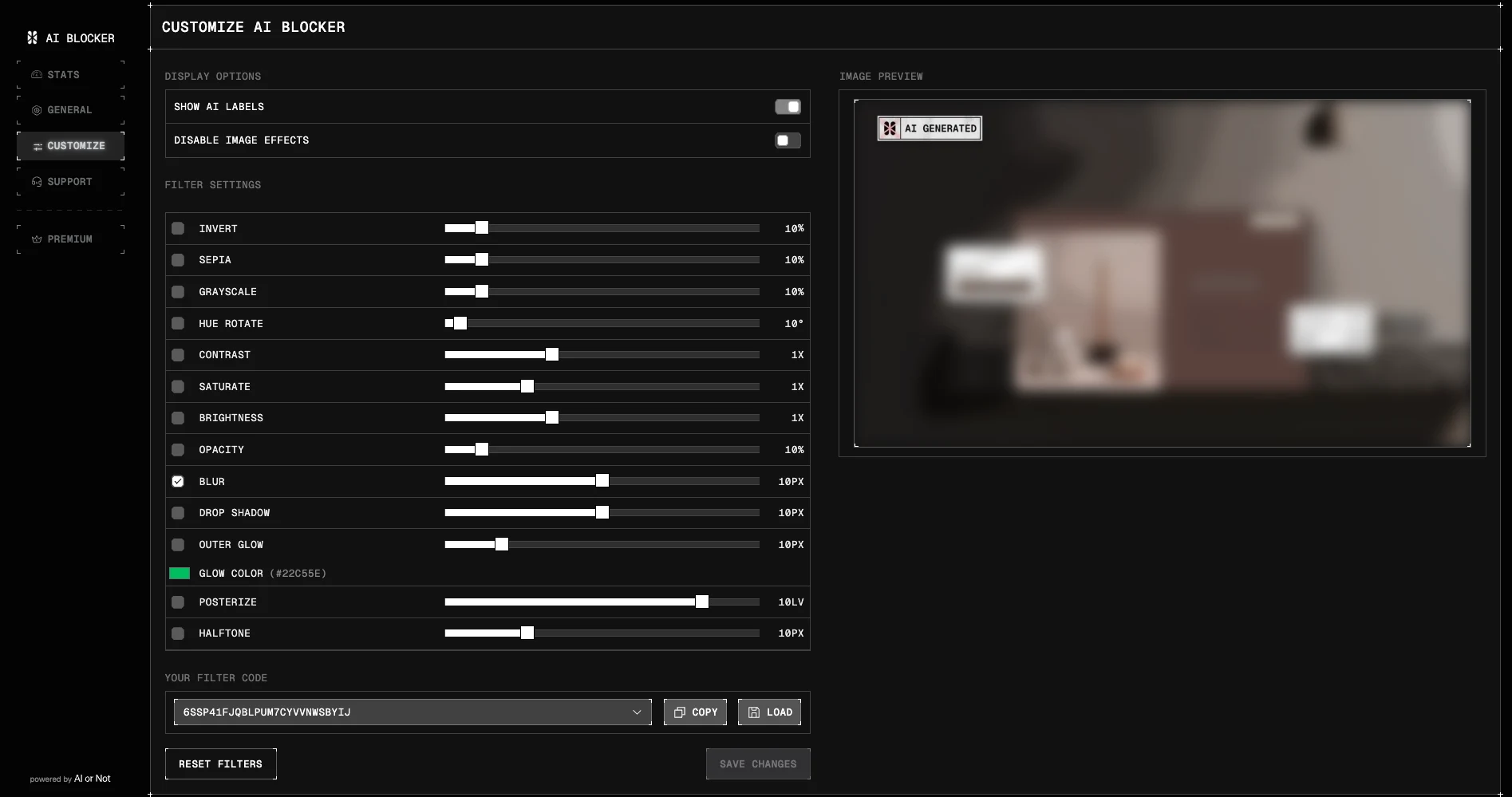
Customize AI Blocker Filters & Display Options
Control how images appear across the web. Enable or disable AI labels, adjust filters like blur, brightness, and contrast, and preview changes in real time to create your ideal viewing experience.
Frequently asked questions
Looking to find out are AI detectors accurate, how to check for AI and how AI detection works?